Track investments from leading Canadian brokers
If you’re a Canadian investor, you can easily import your trades in stocks, ETFs and mutual funds directly into Sharesight from a range of leading Canadian brokers — unlocking the power of Sharesight’s award-winning performance, dividend tracking and tax reporting in just a few easy steps. Keep reading to learn more about the Canadian brokers that Sharesight supports, plus how you can sync your trades to your Sharesight portfolio.

Canadian brokers supported by Sharesight
Easily add and track the performance of stocks, ETFs and mutual funds in Sharesight from the following Canadian (and global) brokers:
- BMO InvestorLine
- CI Direct Trading
- CIBC Investor’s Edge
- Coinbase
- Desjardins
- HSBC InvestDirect
- Interactive Brokers
- National Bank Direct Brokerage
- Qtrade Investor
- Questrade
- RBC Direct
- Scotiabank
- TD Direct Investing
- Wealthsimple
Why should Canadian investors use Sharesight?
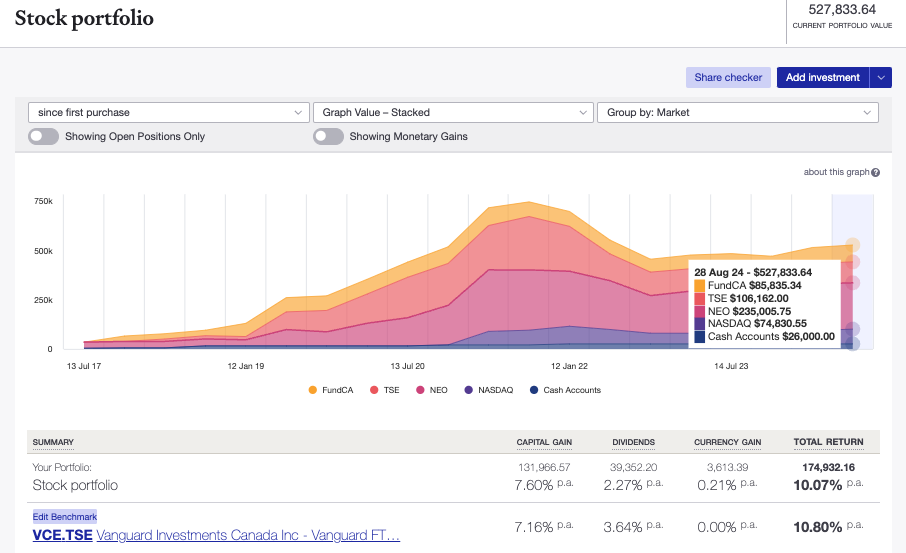
By importing your trades to Sharesight (along with the rest of your investments), you can easily track your investment performance across different brokers, asset classes and over 60 global markets, including the Toronto Stock Exchange, TSX Ventures Exchange, Canadian Securities Exchange and NEO Exchange. Sharesight also offers a range of powerful reports for investors including performance, portfolio diversity, contribution analysis, multi-period, exposure and multi-currency valuation, plus a Canadian capital gains tax report. The ability to track cash accounts, property, cryptocurrency and over 40,000 Canadian mutual funds is just another reason that Canadian investors should consider using Sharesight to track their investment portfolio.
How to sync your trading data to Sharesight
Depending on which broker you use, there are a number of ways you could sync your trading data to a Sharesight portfolio — from establishing a direct connection between Sharesight and your brokerage account, to automatically forwarding your trade confirmation emails to Sharesight or uploading a spreadsheet file filled with your trades.
To find out the best way to sync trades from your broker, simply select your broker from the list above or select the ‘Brokers’ tab at the top of your Sharesight portfolio and search for your broker. Once you select your broker, you will be directed to a page with the specific instructions to sync your trading history and future trades to your portfolio.
Track your Canadian trades with Sharesight
Thousands of investors like you are already using Sharesight to manage their investment portfolios. What are you waiting for? Sign up and:
- Track all of your investments in one place, including Canadian and international stocks, mutual funds, property and even cryptocurrency
- Track your TFSA, RRSP and RRIF investment accounts with tax calculations built to CRA rules
- Automatically track your dividend and distribution income from stocks, ETFs and mutual/managed funds
- Run powerful reports built for investors, including performance, portfolio diversity, contribution analysis, multi-period, exposure, multi-currency valuation and capital gains tax
- Easily share access to your portfolio with family members, your accountant or other financial professionals so they can see the same picture of your investments that you do.
Sign up for a FREE Sharesight account and get started tracking your investment performance (and tax) today.

FURTHER READING


What AI gets wrong about your clients’ portfolios
What ChatGPT and AI assistants miss when evaluating a real investment portfolio, and how advisers can respond. Acknowledge, verify, add context and document.


September top trades: Microsoft bounces back, Apple cools and New Zealanders keep buying
Microsoft buys rebounded, Apple fell from #2 to #12 and New Zealanders bought the most. See what Sharesight investors traded in September 2026.


Product updates - September 2026
See what’s up and what’s down at a glance with our new gains & losses toggle, and more product improvements. It’s all in Sharesight’s September update.